Zapier vs n8n vs Make is usually sold as a feature comparison. That framing hides the number that decides the bill. Each tool charges for a different unit of work, and at real volume the unit matters more than the app list, the editor, or the logo on the plan page.
TL;DR
- Zapier charges per completed action step, Make per module call, n8n per full workflow run.
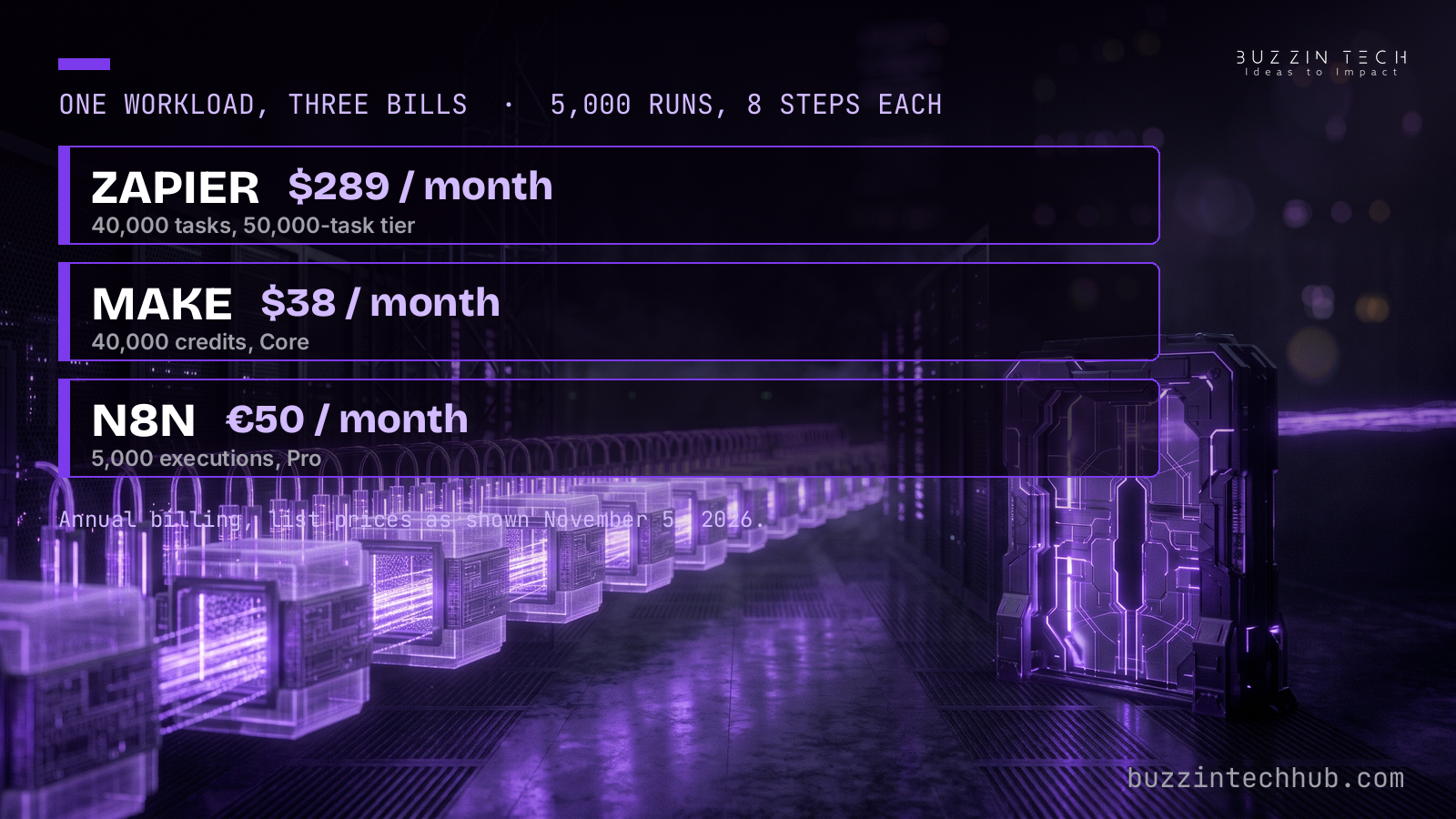
- At 5,000 runs a month with 8 steps each: $289 on Zapier, $38 on Make, €50 on n8n Cloud, annual billing.
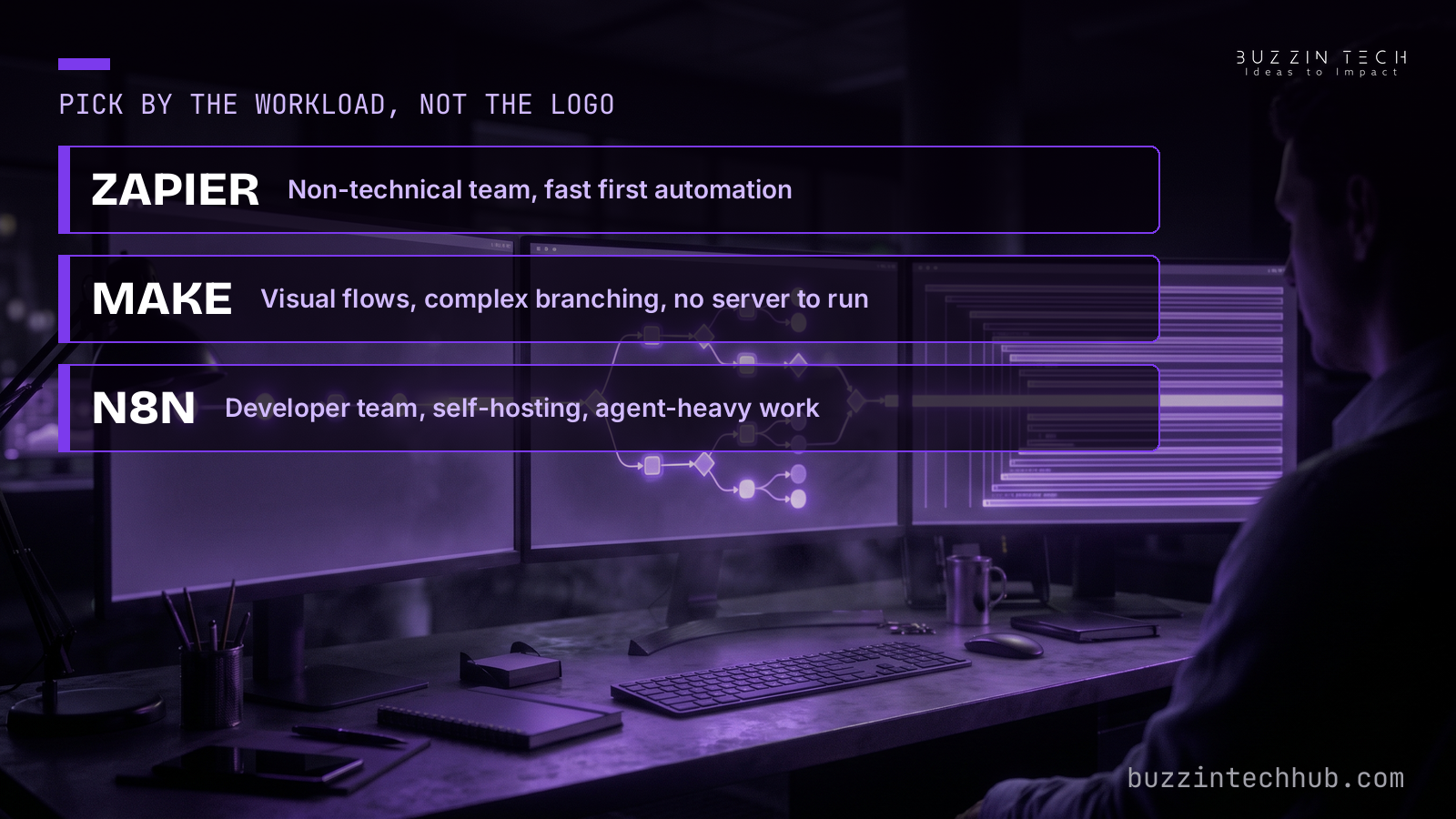
- Zapier suits non-technical teams, Make suits visual builders without a server, n8n suits developer teams and agent work.
- Check the price on the day you buy: Make has shown different visitors different price books recently.
Count the unit before you count the apps
Every automation tool does the same basic job. Something happens in one app, and a chain of actions runs in others. It is the first question we ask on any custom automation engagement. The tools differ in what they count when that chain runs, and that difference compounds with every step you add.
Zapier counts a task for each completed action step. A trigger costs nothing, and filters cost nothing. Each action that runs to completion costs one task, with AI steps priced at their own rates. Make counts a credit for each module call in a scenario. A module is one block in the visual flow, so a long flow burns credits step by step. N8n counts an execution for one full run of a workflow, however many nodes that run contains. A run with twenty nodes costs the same single execution as a run with two.
That single distinction explains most of the price gaps in this comparison. A six-step workflow at identical volume bills six times more units on a per-step model than on a per-run model. App counts do not close that gap. Zapier lists over 9,000 apps, and n8n lists more than 400 nodes, but neither number changes what one run costs once you have picked a tool.
Before comparing plans, write down three numbers for your busiest workflow: runs per month, action steps per run, and how many of those steps call an AI model or an external tool. Those three numbers, run through each vendor's billing unit, give you a real monthly figure.
Zapier: the fastest first automation, priced per step
Zapier is the tool to hand to a team that has never built an automation. The editor is linear, the app list is the widest of the three, and a first working flow can exist within an hour. The price of that ease shows up as volume grows, because every step bills.
The free plan covers 100 tasks a month with two-step Zaps only, which suits a trial rather than a system. Professional starts at $19.99 a month on annual billing for 750 tasks, or $29.99 billed monthly. Team starts at $69 a month on annual billing for 2,000 tasks, or $103.50 billed monthly, with a shared workspace for up to 25 users. Both plans use a task slider on Zapier's pricing page: 5,000 tasks cost $89 a month on annual billing, 10,000 cost $129, and 50,000 cost $289.
AI steps need a separate line in the budget. Zapier's agents became "AI by Zapier" in October 2026, and an agent now runs as an AI step inside a Zap, billed at 1, 3, or 5 tasks per step depending on the step. One MCP tool call costs 2 tasks, and task rates vary by AI model tier, code runtime, and connector type. The plain rule of one step equals one task holds for ordinary actions. It does not hold for every AI or MCP step, so an agent-heavy Zap can burn tasks faster than its step count suggests.
Zapier fits a non-technical team, low to medium volume, and a deadline measured in days. It stops fitting when a workflow grows long and runs often, because each added step adds to every run's bill.
Make: visual power priced per module call
Make sits between Zapier and n8n on technical demand. The editor is visual, with branching, routers, and data mapping laid out as a flow diagram. A builder who can read a flowchart can build a serious scenario.
Make charges in credits, one per module call, renamed from operations in August 2025 with the mechanic unchanged. The free plan covers 1,000 credits a month. Core starts at $12 a month on annual billing for 10,000 credits, or $16 billed monthly. Pro starts at $21 a month on annual billing, or $28 monthly, and Teams starts at $38 a month on annual billing, or $51 monthly, each at the same 10,000-credit starting volume. The higher tiers buy features such as priority execution, custom variables, and team controls, while volume scales on a separate slider. Core tops out at 300,000 credits a month, and larger volumes sit on Pro or higher.
Two recent additions matter for teams that run scenarios in production. Scenario version control arrived in October 2026, which gives a team a way back when an edit breaks a live flow. Fallback connections and prompt caching for AI Agents arrived in the same month, which cut the failure modes that used to kill a scenario at the first refused connection.
All Make figures in this post are the prices shown on Make's pricing page on November 5, 2026, on annual billing. Treat that date label as part of the figure. Other visitors have seen a lower price book for the same plans in recent weeks, with Core at $9 a month on annual billing. The billing-unit argument holds under either book. The exact dollar figure does not, so check the page on the day you buy.
N8n: priced per run, built for technical teams
N8n is a node-based workflow engine, and it is the only one of the three that treats code as a first-class part of the canvas. Nodes accept JavaScript and Python, so a developer can use code where a visual block runs out of room. AI Agent and MCP nodes ship on every plan, so agent work does not sit behind a higher tier.
The billing unit is the whole run. Cloud Starter costs €20 a month on annual billing for 2,500 executions, or €24 billed monthly, and Cloud Pro costs €50 a month on annual billing for 10,000 executions, or €60 billed monthly, as listed on n8n's pricing page. The self-hosted Community Edition carries a $0 licence with unlimited executions, and the only bill is the server underneath it, commonly $5 to $15 a month for a small deployment. That option has a real cost that never appears on a pricing page: someone has to keep the server patched, backed up, and running.
That headcount cost is the honest counterweight to the licence price. A team with a developer already on staff absorbs it easily. A team without one buys a second job along with the software. Where agent work is the point rather than a side feature, n8n still leads, because its agent and MCP nodes are part of the core product rather than an add-on step with its own meter.
One workload, three bills
Take one concrete workload and run it through all three meters. A team runs 5,000 workflow runs a month, and each run performs 8 action steps. Annual billing throughout, list prices as shown on November 5, 2026.
On Zapier, 8 steps times 5,000 runs is 40,000 tasks, which sits on the 50,000-task Professional tier at $289 a month. On Make, 8 module calls times 5,000 runs is 40,000 credits, which sits on Core at $38 a month. On n8n Cloud, 5,000 runs are 5,000 executions, which sits on Pro at €50 a month, since Starter's 2,500 executions are too few. Self-hosted n8n for the same workload costs the server only, commonly $5 to $15 a month, plus the time of whoever runs it. Dollar and euro figures are left side by side here rather than converted, since exchange rates move and a conversion would age faster than the list prices.
The gap narrows sharply at small volume and at one step per run. At 500 runs a month with 8 steps each, the same math gives 4,000 tasks on Zapier, which sits on the 5,000-task tier at $89 a month, 4,000 credits on Make, inside Core at $12 a month, and 4,000 executions on n8n, which again needs Pro at €50 a month because Starter stops at 2,500. At that size Make is cheapest on list price, and the choice turns on features and team skill rather than the meter.
The counter-case matters just as much. A one-step webhook relay firing 50,000 times a month bills one unit per run on every model, so the multiplier that drives the main example disappears and entry prices decide. Before picking a tool, check whether your busiest workflow is long or short.
How to pick in one afternoon
Start with the three numbers from the first section: runs per month, steps per run, and AI or MCP steps inside those runs. Price the busiest workflow on all three meters, then price the second-busiest. If the two answers point to different tools, the busiest workflow wins, since it sets the bill.
Pick Zapier when the builders are non-technical, volume is low to medium, and the first automation needs to ship this week.
Pick Make when the team has some technical comfort, the flows are complex enough to need branching and visual debugging, and nobody wants to run a server. The visual editor carries further than Zapier's linear editor, and the credit meter stays gentle while flows stay short.
Pick n8n when a developer team owns the work, when self-hosting fits the security or data rules, or when automations increasingly call AI agents. It is the only one of the three with first-class agent and MCP nodes on every plan, and its per-run meter is the kindest of the three to long workflows at scale.
Pick none of the three when the real problem is orchestrating agents rather than connecting apps. Agent orchestration needs its own control layer for permissions, approvals, and audit, and a workflow tool alone will not supply it. That distinction saves a team from buying a bigger workflow plan to solve a governance problem.
We build client automations on n8n and Zapier, and we still pick Zapier for clients in clear cases: a non-technical team that must own the flows after handover, a low-volume system where the Zapier bill stays small, or an app list that only Zapier covers. A lower bill is not a better system when the team that inherits it cannot change it. You can see the range of that work in our client automation projects, and the same decision logic appears in our earlier comparison of Google Discover vs Search traffic: diagnose by surface.
Which tool fits the workload you already have?
If your busiest workflow is long, frequent, or agent-heavy, the billing unit will decide your bill before features get a vote. Our process runs Discovery and Architecture, Design and Prototyping, Engineering and Build, then Deployment and Scaling, so the meter question gets answered before build starts.
See how we approach n8n and Zapier implementations
Frequently asked questions
Is n8n really cheaper than Zapier at scale?
For long workflows, yes, because n8n bills one execution per full run while Zapier bills one task per completed action step. A run with 8 steps costs 8 tasks on Zapier and 1 execution on n8n. Short, one-step workflows narrow the gap, since one step produces one unit on every model.
What does Make charge for?
Make charges one credit per module call in a scenario, renamed from operations in August 2025. Routers and error handlers sit outside the meter in most flows, but each action module that runs bills a credit. Core starts at $12 a month on annual billing for 10,000 credits, as shown on November 5, 2026.
Can a non-technical team run n8n?
A non-technical team can build simple n8n workflows, since the editor is visual. The difficulty arrives with self-hosting, debugging failed runs, and writing code inside nodes. Teams without a developer on staff usually do better on Make or Zapier, where the vendor carries the server and the support load.
Does Zapier charge for triggers?
No. Triggers and filters are free on Zapier, and only completed action steps bill as tasks. AI steps are the exception to the simple rule: an AI step bills at 1, 3, or 5 tasks, and one MCP tool call bills 2 tasks, with rates that vary by model tier and connector type.
When is self-hosted n8n the wrong choice?
Self-hosting is the wrong choice when nobody owns the server. Patching, backups, monitoring, and recovery all fall to the team, and an unpatched automation server that touches customer systems is a liability. If that ownership is missing, n8n Cloud or a managed tool costs less in practice than a free licence.
Should I switch tools to cut the bill?
Switch only after pricing your two busiest workflows on the new meter and counting migration time. Rebuilding, retesting, and retraining a team can cost more than a year of the price gap. Switch when the meter gap is large, the workflows are stable, and the new tool covers every app the old one did.
More from Buzzin Tech Hub
- MCP governance: give your agents a permissions desk
- Google Discover vs Search traffic: diagnose by surface
- BuzzinTech blog