n8n RAG support agent tutorial: ship your first doc agent
By Mustehsan Sheikh
An n8n RAG support agent tutorial is the fastest way to give your support team a search box that reads the docs for them. This is the build we recommend: your company documents become a searchable store, n8n answers questions against it, and a human approves anything sensitive. One day of work, if you know the decisions in advance.
A RAG support agent reads your docs, not its training data. Support gets cited answers instead of guesses.
Chunk by meaning at 256-512 tokens, embed with text-embedding-3-small, store in Qdrant or Supabase.
In n8n, the AI Agent node wires model, memory, and tools as sub-nodes; tool descriptions do the steering.
Gate destructive tools behind human approval; a prompt that says "ask first" is not a safeguard.
Test on 20 real tickets before launch; keep humans on the edge cases.
Why your support queue needs a reader, not another chatbot
Most support chatbots fail the same way. They answer from training data, so they speak with confidence about your refund policy and get it wrong. Your agents then spend their time correcting the bot instead of helping customers. The fix is simple: the bot must read your documents before it speaks. This is the build we ship most often in our AI custom automation work: a custom support assistant grounded in the client's own documentation, with the model doing the reading and your docs doing the answering.
RAG — retrieval-augmented generation — is the name for that pattern. When a question arrives, the workflow searches a store of your document chunks, hands the relevant ones to the model, and asks for an answer drawn only from them. Nothing here requires a research team. The whole build is four moving parts and one discipline: keep the source of truth clean.
The four moving parts
First, ingestion: your documents get split into chunks and each chunk is turned into an embedding — a long list of numbers that captures its meaning. Second, storage: those embeddings live in a vector store that can find the chunks closest in meaning to any question. Third, the agent: an n8n AI Agent node that takes the question, searches the store, and drafts the answer. Fourth, the guardrails: citations on every answer and human approval on anything the agent should not do alone.
Get these four right and you have a support agent that behaves like your best junior hire: fast, honest about sources, and quick to escalate. Get them wrong and you have the same confident liar in a nicer interface. The rest of this post is the decisions that separate the two.
Chunking and embeddings: where builds win or die
Chunking is where most RAG builds quietly fail. If you cut documents at fixed character counts, you get chunks that start mid-sentence and mix two topics. Retrieval then returns noise, and the model answers from noise. The 2026 practice is semantic chunking: break on meaning, not on character count. A chunk should be one idea — one procedure, one policy section, one FAQ entry.
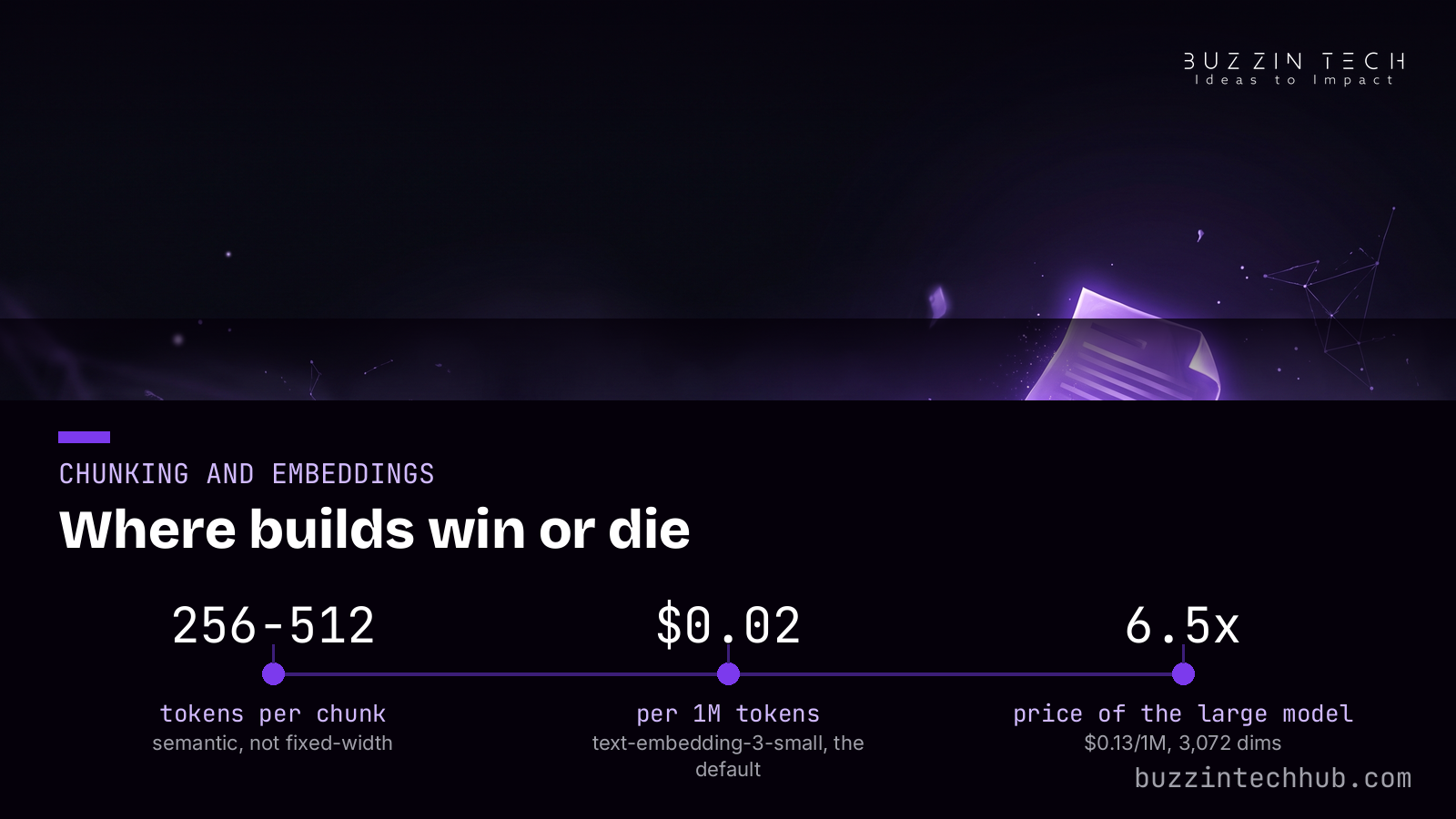
For sizes, the numbers that hold up: 256 to 512 tokens for precision retrieval, up to 1,024 tokens for narrative content where a long explanation must stay whole. If your tool only does fixed-size splitting, start around 300 tokens with a 50 to 60 token overlap so nothing important falls into the crack between chunks. Overlap is cheap insurance.
Embeddings are the second decision. OpenAI's embeddings guide lists the current lineup, still the third-generation pair — text-embedding-3-small and text-embedding-3-large — and as of September 2026 there is no fourth-generation OpenAI embedding model, despite what some marketing pages claim. The small model costs $0.02 per million input tokens at 1,536 dimensions; the large model costs $0.13 per million at 3,072 dimensions. That is 6.5 times the price for measurably better retrieval. Both accept up to 8,191 tokens per input.
Our default is the small model. For a docs corpus, retrieval quality differences rarely justify the large model's price, and vector storage halves at the smaller dimension. One warning: you cannot upgrade embeddings in place. Switching models means re-embedding the entire corpus, so choose once and keep it stable. Treat embedding prices as checked in October 2026 — verify current numbers on OpenAI's pricing page before you budget.
Picking the vector store
n8n ships native vector-store nodes for Qdrant and Supabase, so either drops into the build with no glue code. Qdrant is a purpose-built vector database with a generous open-source edition; Supabase adds vector search to the Postgres stack your team may already run. For production scale, the managed options are Pinecone and Zilliz. If you already run PostgreSQL, pgvector keeps everything in one database.
Whichever store you pick, use hybrid search: dense vectors plus sparse keyword scoring (BM25). Pure vector search misses exact product names and error codes; pure keyword search misses paraphrases. The 2026 recommendation is both, and Elasticsearch and Weaviate support the combination natively. Qdrant's hybrid query documentation shows how to run dense and sparse searches in one request, fused by ranking. In practice, hybrid search is what fixes the "the doc says it but the agent cannot find it" class of failures.
The n8n build, step by step
Two workflows. The first is ingestion: read the docs, chunk them, embed each chunk, upsert into the store. Run it on a schedule so the agent's knowledge stays as fresh as your docs. The second is the agent itself, and this is where n8n's design pays off.
The AI Agent node takes sub-nodes for its model, its memory, its tools, and its output parser — the node's documentation covers the full sub-node reference. The tool names and descriptions function as the prompt — the agent reads the description text to decide when a tool applies. Write descriptions like documentation, not like wishes. A tool named "search_docs" with the description "Searches the company knowledge base for policies, procedures, and troubleshooting steps. Use this before answering any factual question." will be called. A tool named "search_docs" with the description "Useful for searching" will not.
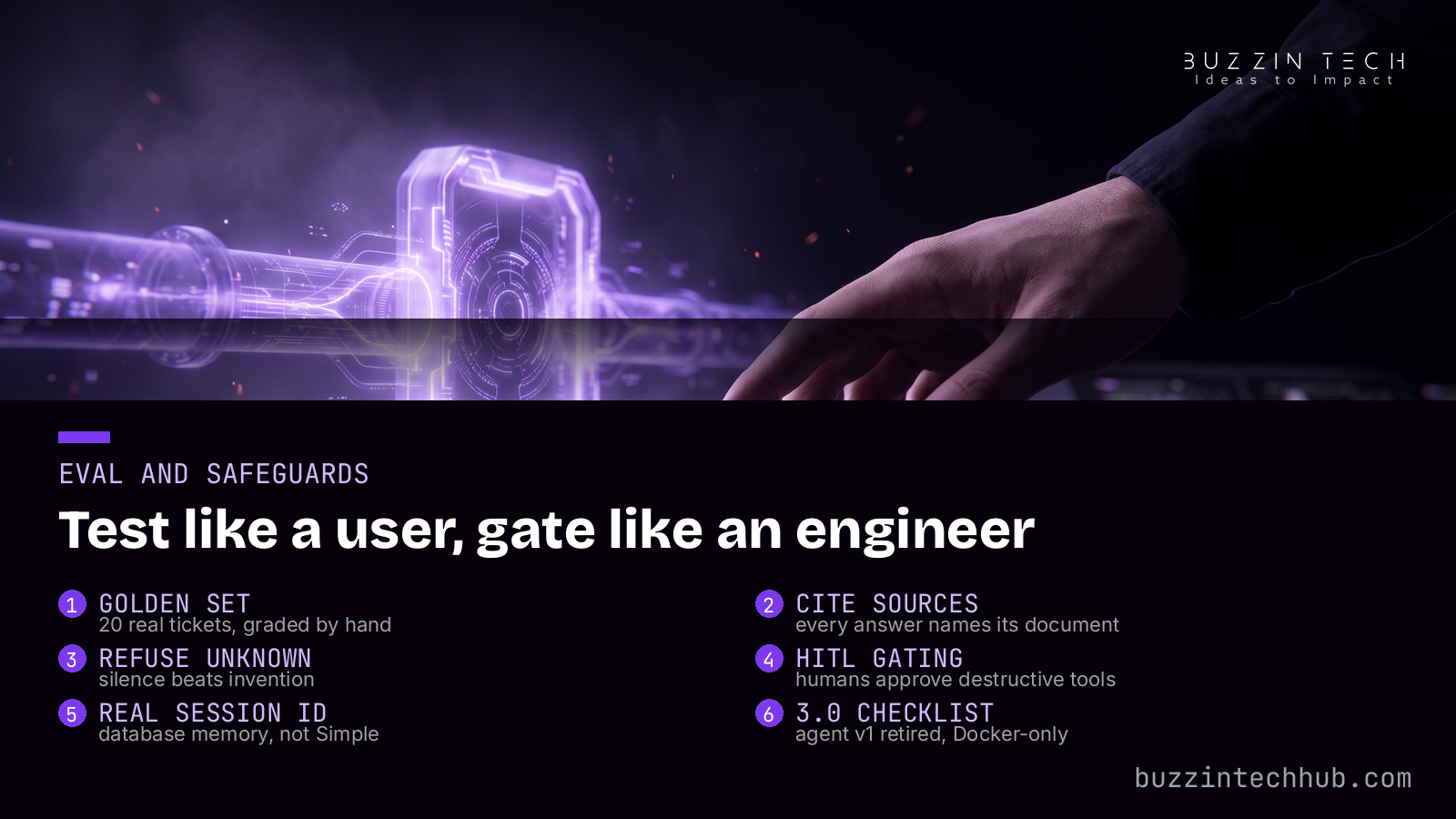
Memory deserves a paragraph. Use a database-backed memory with a real session ID so the agent remembers the conversation it is in. The Simple Memory option does not persist between sessions and does not work in queue mode, which is exactly where production support runs. If your agent keeps "forgetting" the ticket it is handling, memory is the first place to look. n8n 2.40 added a "Force Tool Call on First Iteration" option for the related failure where the agent answers confidently without calling any tool — turn it on for retrieval agents.
The platform itself moved this month. n8n shipped 2.43.0 on October 6, 2026 as a guardrails release: it blocks publishing workflows with unconnected required inputs, deduplicates agent message deliveries, and fixes agent-session handling on SQLite. And n8n 3.0 is due this month: the AI Agent v1 node gets retired, self-hosting goes Docker-only, the Code node's time limit drops from five minutes to one, and legacy nodes (Cron to Schedule Trigger, Function to Code, legacy OpenAI nodes) go away. Build on the current AI Agent node now and the upgrade is a checklist, not a rewrite.
Test it like a user, gate it like an engineer
Before launch, build a golden set: 20 real tickets from your queue, each with the answer your best agent gave. Run the agent against them and check three things. Did it cite the right document? Did it refuse questions the docs cannot answer, instead of inventing? Did it escalate the ones that need a human? Twenty questions is small enough to run by hand and large enough to expose the failure patterns.
Then add the safety rails. n8n's native human-in-the-loop feature, released in January 2026, lets specific agent tools require human approval before they run: the workflow pauses, a human approves or denies, and the agent continues on that decision. Gate every tool that does something irreversible — refunds, account changes, data deletion — behind this. One caution from hard experience: a prompt that says "ask for confirmation" is not a safeguard. Agents skip prompt-level instructions under context pressure. Gating must be a workflow-architecture decision, not a sentence in the system prompt.
The same discipline shows up in production automation generally. When we rebuilt the Ecovers insurance site with GoHighLevel automation and webhook plumbing, the testing discipline mattered more than the tooling. Support agents are no different: the eval habit is the product.
When a doc agent is the wrong call
A doc agent cannot fix bad docs. If your documentation is two years stale, contradictory across pages, or mixed with confidential material the agent must never see, clean the corpus first or the agent will quote the stale page with perfect citations. Fix the docs, then build the reader.
Also be honest about data the agent cannot check. Pricing that changes hourly, inventory levels, account-specific status — anything the model cannot verify against a live source — belongs behind a real API call as a tool, not in the vector store. Retrieval answers "what do our docs say"; tools answer "what is true right now". Both have a place in the same agent.
Practical workflow thinking like this is what we covered in Ship it on purpose: developer workflows that hold up in 2026 — agents belong inside a workflow, not in place of one.
What would your support queue look like with a reader on duty?
A grounded support agent takes about a day to build and a week to harden. Tell us what your docs cover and we will tell you honestly whether this build fits.
See how we build custom AI automations
Frequently asked questions
How much do embeddings cost for a typical docs site?
Almost nothing. A 200-page documentation site is roughly 100,000 to 200,000 tokens. At $0.02 per million input tokens for text-embedding-3-small, embedding the whole corpus costs under a cent. The model that answers questions — not the embedding model — is where your API bill lives. Prices checked October 2026; confirm current numbers on OpenAI's pricing page before budgeting.
Qdrant or Supabase — which vector store should I pick in n8n?
Pick the one closer to your stack. If you already run Supabase or PostgreSQL, use Supabase or pgvector and keep operations in one place. If you want a purpose-built vector database with serious filtering and hybrid search, self-host or use managed Qdrant. Both have native n8n nodes, so the workflow code barely changes between them.
Do I need text-embedding-3-large?
Probably not. The large model costs 6.5 times more per million tokens and doubles your vector storage for a retrieval-quality gain most docs corpora never notice. Start with text-embedding-3-small and measure with your golden question set. Upgrade only if you see real misses after tuning chunking and prompts — and remember that switching means re-embedding everything.
How do I stop the agent from hallucinating?
Three habits. Ground every answer in retrieved chunks and cite them. Instruct the agent to say it does not know when the docs are silent, and test that refusal in your eval set. Keep humans on destructive actions through n8n's human-in-the-loop tool gating. Hallucination drops when the agent has nothing to gain from guessing.
What breaks in my build when n8n 3.0 lands?
As of October 14, 2026 the exact release date is unconfirmed, but the announced changes are clear: the AI Agent v1 node is retired, self-hosting goes Docker-only, the Code node's time limit drops from five minutes to one minute, and legacy nodes go away. Builds on the current AI Agent node with Docker self-hosting or n8n Cloud need the least work. Check your workflows against the retirement list before upgrading.
Can I self-host instead of using n8n Cloud?
Yes. The n8n Community edition is free to self-host, which suits teams that want their docs on their own infrastructure. n8n Cloud's 2026 list pricing is Starter at 20 euros per month annual for 2,500 executions and Pro at 50 euros per month for 10,000 executions. Verify at n8n.io/pricing — pricing pages move faster than blog posts.
How long does the whole build take?
The core loop — ingestion workflow plus a retrieval agent — is a day of focused work if your docs are ready. The week after that goes to the golden question set, the eval fixes, and the human-in-the-loop gates. Teams that skip the second week ship a demo; teams that do it ship a support agent.
More from Buzzin Tech Hub
Read next: AEO vs SEO in 2026: Where to Spend Your Search Budget
- Browse the full Buzzin Tech Hub blog