The way software gets written changed this year, and most teams are still working with instincts built for the old one. Eighty percent of technology leaders said they used AI in software development in 2025, and 77 percent named expanding AI use their top strategic priority for 2026, according to the Reveal 2026 IT Talent Survey from Infragistics. The tools are installed everywhere. The gap is not in who has a coding agent; it is in who has a way of working with one.
The developers getting the most out of 2026 share a set of habits that have almost nothing to do with which assistant they pay for. They run agents the way a good lead runs a team. They plan before they generate. They treat the model's attention as a scarce budget. They debug with a method instead of a mood. They verify AI output with the same seriousness they would apply to a new hire's pull request. None of this is glamorous, and all of it compounds.
These are the workflows that hold up: from Anthropic's Claude Code best-practices guide, from developers running fleets of agents in parallel, and from debugging practice that predates every current tool.
Run your agents like a lead, not a fan
The most common failure mode with coding agents is treating them like a search box. You type "fix this bug" or "add auth," accept the first diff, and wonder why the code review takes longer than writing the thing yourself. The fix is managerial, not technical: a vague brief gets vague work from a human junior and from an agent alike.
One framework that keeps surfacing among heavy agent users is simple. Keep a strict, prioritized task list ranked by value against effort. Spend 15 to 20 minutes in plan mode before any implementation, arguing with the agent about edge cases and design decisions. Then spin up agents through CLI tools, and cycle through high-impact tasks while the first agent runs. The planning minutes feel expensive and pay for themselves in fewer rework loops. Developers who skip them pay the tax in post-implementation iteration instead.
There is also a discipline question about model choice. The temptation is to route routine tasks to cheaper, faster models. That looks like saving money until the error rate shows up: the smaller model's mistakes cost more in correction than the frontier model would have cost up front. Larger models make fewer mistakes and reach correct solutions faster despite slower starts. Boris Cherny, the creator of Claude Code, mentioned casually that he runs 10 to 20 agents in parallel at any given time. That is not a demo workflow. That is what the top of the craft looks like right now.
Match the model to the task
Model selection is a workflow decision, not a loyalty decision. Different phases of a task need different strengths, and routing them deliberately cuts both cost and frustration.
The pattern that works: thinking and planning go to the heavy frontier model. Executing a clear, well-specified plan goes to a smaller, cheaper model. One developer's write-up of his agent workflow put the boundary plainly: a plan written by a large model runs cleanly on a 12-billion-parameter model, and the quality gap closes fast once the task is well specified. The plan is where judgment lives. The execution is where tokens burn.
This extends to how you split the work itself. Keep one task to one function or module, one bug fix to one issue, one refactor to one file or one recurring pattern. The failure case has a name: code that looks like ten developers wrote it without talking to each other. That is what you get when you feed a model an entire codebase and ask for "the feature." Feed it a scoped chunk, and it writes like one developer who read the brief.
Cross-check plans across model families when the design matters. One widely shared set of practical tips recommends rubber-ducking plans against a different model than the one that wrote them, Claude against GPT, to expose blind spots the first model could not see. It is the cheapest design review you will ever run.
Give every agent its own worktree
Git worktrees are the hack that turns parallel agents from chaos into something manageable. A worktree is a second working copy of your repository attached to its own branch. Each agent gets a task, a branch, and a worktree, and none of them step on each other's files.
The rules are short. Create each worktree from a freshly fetched trunk: git fetch origin main, then git worktree add .worktrees/<slug> -b <branch-name> origin/main. Never switch branches inside a worktree that has unfinished work; create a new worktree instead. Keep two to five active worktrees at most, because more than that recreates the context-switching overhead you were trying to escape. Always remove worktrees with git worktree remove, never by deleting the directory, and run git worktree prune now and then to clear stale metadata.
Worktrees also solve the oldest interruption in the craft: the emergency hotfix that lands while you are deep in a feature. Instead of stashing half-finished work, create a hotfix worktree from main, fix, push, and remove the worktree. Your feature branch never moved. Reviewing a colleague's pull request in isolation works the same way: a worktree for the PR, run the tests, delete the worktree when the review is done.
With agents, the pattern is one Claude Code session per worktree. Three terminal panes, three tasks, zero file conflicts. The agents argue with each other's output in the diff, and you read the diff.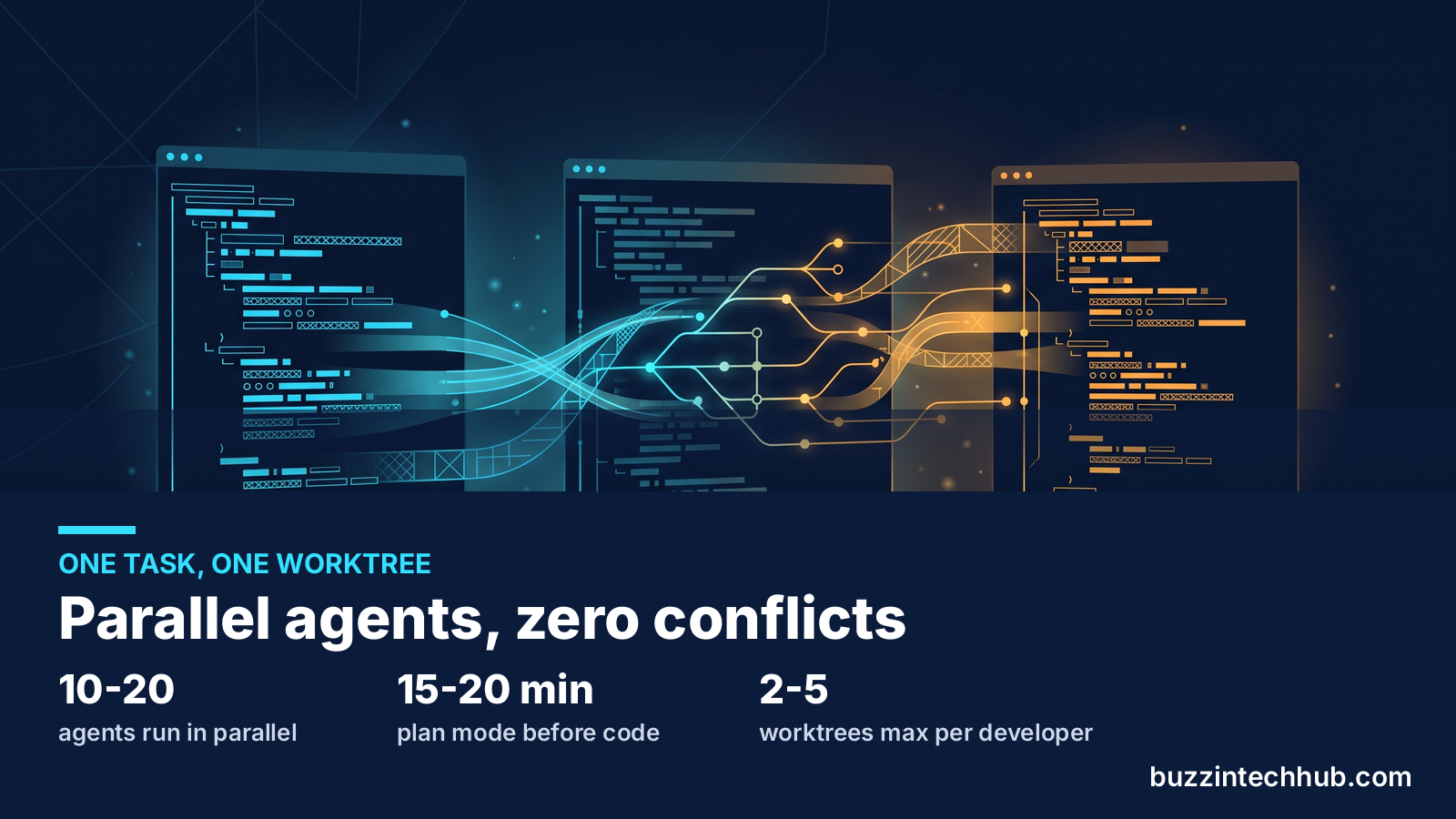
Write the instruction file your agent actually reads
Every serious agent tool now supports a project-level instruction file: CLAUDE.md, .github/copilot-instructions.md, cursor rules. This is where your conventions live, and the difference between a good one and a bad one is the difference between an agent that writes your codebase and one that writes generic code that happens to compile.
Anthropic's guidance is blunt: most best practices trace back to one constraint. The context window fills fast, and performance degrades as it fills. So keep prompts and instruction files concise. Teach conventions the model cannot infer, and delete everything it could. A project instruction file that explains how to run tests, which packages are off-limits, and how commits should be shaped is worth more than fifty clever prompt templates.
The same applies to the workflow automation around the agent. Skills and reusable playbooks are how you stop rebuilding the same workflow in every session. One developer keeps a small set he reaches for repeatedly: a tutor skill for going deep on a concept, a system-design skill for architecture work, and a challenge skill that grills a plan against the project's own documentation before a line of code is committed. The pattern is general even if the names are his. If you do the same investigation twice, write it down once and let the agent run it.
Version-control these files like code, because they are code. Prompt templates, custom commands, and agent configuration go through review like any other change. An instruction file that nobody reviews drifts, and a drifted instruction file teaches every future agent the wrong conventions.
Treat context as a budget
Context is the one resource every 2026 workflow is actually managing. Models are only as good as the context they are given, and stale context degrades output quality silently. The developers who get clean output from agents all practice the same hygiene: pack the context deliberately, compact it aggressively, and restart before it rots.
The packing checklist is short. For each task, load the high-level goals and invariants, examples of good solutions from your own codebase, warnings about approaches that have failed before, the performance constraints that matter, and the known edge cases. That is all. Anthropic's skill-authoring guidance phrases the principle well: the context window is a public good, shared with the system prompt, the conversation history, and every other tool in play. Every token you spend on explanation is a token the model cannot spend on your problem, so challenge each piece of context with a single question: does the model really need this?
Then manage the budget as the session runs. When a session approaches its limits, summarize and reset rather than letting it limp on. Stale context is worse than no context because it looks authoritative while being wrong. At the end of a long session, generate a structured summary and use it as the seed for the next one. It saves tokens and keeps the important decisions in scope, and it is the difference between an agent that remembers your architecture and one that re-derives it badly every morning.
Connect the agent to reality with MCP
An agent that can only read your code is guessing about everything else. The Model Context Protocol gives agents live access to the systems around the code: the database, the issue tracker, the deployment pipeline, the browser. The pattern behind the most reliable agent workflows is the same everywhere: connect context through MCP, scope the task, review the plan, verify with tools, review the diff.
What matters is which servers you connect and how much power you give them. Read-only database access covers most development tasks; write access belongs only where the workflow needs it. A Chrome DevTools or Playwright MCP server lets the agent inspect console logs and verify fixes visually instead of you pasting screenshots into chat. A GitHub MCP server handles PR reviews and issue lookups without context-switching. The sequential-thinking server breaks complex problems into steps for agents that rush to code.
The permission rule is the same one you would apply to a new team member. Grant the access the workflow actually needs and nothing more. And write down which servers a project expects, so the setup is reproducible. An agent with live state queries does not need you to narrate the bug. It reads the error itself, proposes the fix, and asks whether to apply it. That is the loop to aim for.
Debug before you fix
Every debugging method that survives contact with real systems shares one rule: find the cause before writing any fix. A fix without a cause is a guess, and guesses that work hide the real bug. The discipline starts before the debugger opens.
Write down what you believe. Four sentences: what you expected, what actually happened, the smallest input that reproduces it, and what you think the code does at each step. That last sentence is where the bug usually lives. Code does exactly what it says; if the behavior is wrong, one of your assumptions about what it says is wrong. Getting the assumption onto the screen is most of the work.
Then binary-search the gap. A bug lives somewhere between input arriving and wrong output leaving. Log the value at the midpoint of the pipeline. If it is right, the bug is downstream. If it is wrong, upstream. Two or three halves and you are staring at the culprit. It is the same idea as git bisect, applied to one function instead of a commit history.
Build the feedback loop first. The ideal is a failing test: one command that is red now, deterministic, fast, and runnable without a human. Failing that, a curl against the endpoint, a CLI run diffed against expected output, or a throwaway harness script. Run it once and watch it fail before you touch anything. No red-capable command means no fixing yet; gather more data first.
Change one thing at a time. When debugging stalls, it is almost always because three things changed at once and none of the results can be attributed. Try one variable, rerun, observe. If nothing changed, revert it before trying the next idea. A working tree full of half-fixes is a debugging trap.
Two more habits separate the fast debuggers from the slow ones. First, tag every debug log with a single token, something like [DBG-4f2a], so removing them later is one grep instead of an archaeology project. Second, after two failed hypotheses, stop guessing. The bug is in your model of the system, not in the place you keep looking. Broaden the search instead of hammering the same spot.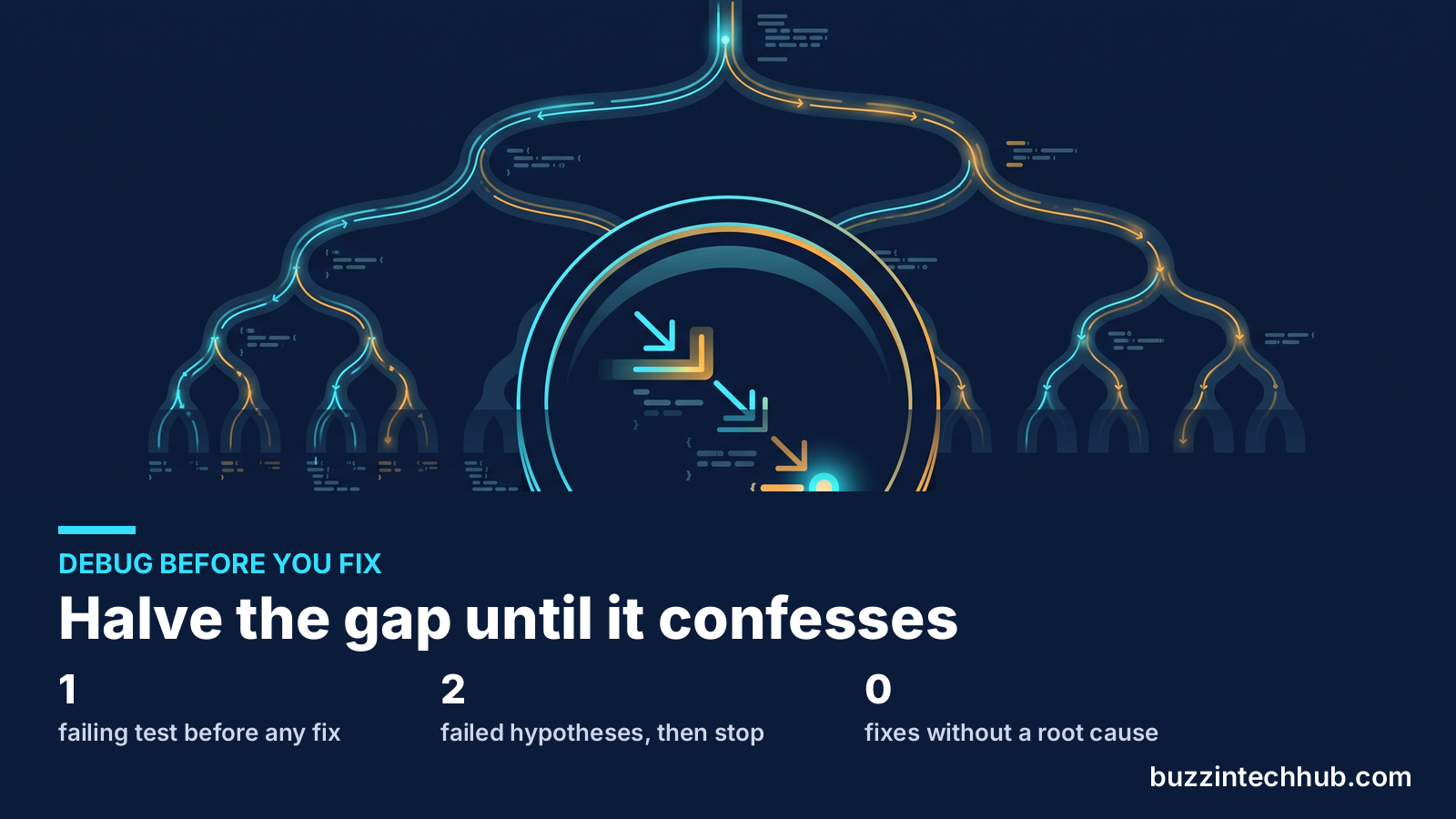
Let git bisect do the hunting
For regressions, the fastest debugger ever shipped with git. git bisect finds the exact commit that introduced a bug by binary-searching your history, and it automates the whole thing:
git bisect start
git bisect bad HEAD
git bisect good v1.2.0 # last known good release
# git checks out the midpoint commit; test it, then:
git bisect bad # or: git bisect good
# repeat until git names the first bad commit
git bisect reset
The automated form is the real hack. Give bisect a script that exits 0 for good and 1 for bad, and it runs the search alone:
git bisect start HEAD v1.2.0
git bisect run ./test.sh
This is mechanical, boring, and correct. When the history has more than a handful of commits, bisect beats reading diffs every time. Pair it with the bisect of code, data, and config: halve the input paths, halve the dataset until the trigger row surfaces, diff the production config against defaults and apply half. Same method, four surfaces.
One quieter git habit pays off the same way. git rerere records how you resolved a conflict and replays the resolution when the same conflict appears again. Enable it once and stop solving the same merge conflict every rebase. These are the kinds of tools that never make a demo video and save an hour a month forever.
Verify AI output like you hired the author
AI-generated code needs the same gates as human code, and the teams that ship safely treat the agent as a contributor, not an oracle. The checklist is unglamorous on purpose: automated tests, linting, CI checks, and a human diff review before merge.
Read the diff the way you would read a junior developer's pull request. The productivity gap between teams that use AI well and teams that use it poorly is estimated at 3 to 5x, and most of that gap is verification discipline. The teams at the bottom accept suggestions without understanding them, which turns the assistant into a tech-debt accelerator. The teams at the top write detailed prompts in code comments, load relevant files as context instead of just the open one, and review the output against the plan.
Keep humans in the loop for merges. Agents are strong at generation and iteration; the final review before production stays human. Scope the tasks tightly so verification is tractable: "add pagination to this endpoint" produces a diff a person can read in minutes, while "improve the API" produces a diff nobody will ever fully audit. And run iterative multi-model reviews on the important diffs: a second model reviewing the first model's output catches the bugs that familiarity hides. Review until the returns diminish, then ship.
The cost of skipping this is already visible in the industry data. Companies are restructuring around AI output while the debt from unverified code compounds underneath. Our own coverage of the free software wave made the same point from the other side: the teams that own their stack and understand it ship with confidence, whether the code was typed by a person or a model. Understanding is the part you cannot delegate.
Make your environment disposable
The last hack is the most freeing. If your development environment can be rebuilt from scratch in minutes, you stop being careful with it and start being fast.
Dev containers are the mainstream version: the environment definition lives in the repo, the agent runs inside the container, and nothing it does can damage your machine. That is also what makes aggressive agent modes safe. Several practitioners run their agents in full "allow all" mode, no permission prompts, precisely because the agent is isolated on a remote machine or inside a container where destructive commands have nowhere destructive to land. Convenience without isolation is reckless. Convenience with isolation is a superpower.
Time-travel debugging belongs in the same category of underused force multipliers. Mozilla's rr records a program's execution and replays it deterministically, so you can step backward through the crash instead of trying to reproduce it forward. For heisenbugs that vanish under observation, recording first and investigating second changes the entire dynamic. Chrome DevTools' async call stacks do the same for frontend code at a smaller scale.
And when the work involves distributed complexity, remember the lesson from our deep dive into the microservices hangover: observability tooling exists to tell you why things fail, and mid-market teams are paying six figures a year to vendors for the privilege. A local setup where you can trace a request end to end, with logs you can grep and state you can inspect, is worth more than a dashboard subscription. Disposable environments make that cheap to keep.
The quiet craft
None of these habits requires a new subscription. Plan mode is a button. Worktrees are built into git. Bisect is older than most of the developers using it. The instruction file is a markdown document. What they require is the posture shift the industry is already living through: the premium moved from writing code to knowing which code is worth writing, and the developers thriving in 2026 are the ones who manage the machine that writes it.
Pick one. Turn on plan mode for a week and argue with the agent before it writes. Put your next three tasks in worktrees and watch the stash habit die. Write the instruction file your project deserves. The compound interest on small workflow improvements is the closest thing this industry has to a free lunch, and it has been there all along.
Frequently asked questions
What is plan mode in a coding agent?
Plan mode is a setting in tools like Claude Code where the agent investigates and proposes an implementation plan, then waits for your approval before writing code. The widely repeated guidance is to spend 15 to 20 minutes discussing edge cases and design decisions with the agent in plan mode. The upfront minutes cut rework, because the mistakes get caught in the plan where they are cheap instead of in the diff where they are expensive.
How many AI agents can one developer run at once?
More than most try. Boris Cherny, the creator of Claude Code, has said he runs 10 to 20 agents in parallel. The practical pattern is one agent per Git worktree, each on its own branch and task, with the developer reviewing diffs. Most practitioners keep two to five active worktrees, since more than that brings back the context-switching overhead the setup was meant to remove.
What should go in a CLAUDE.md or copilot-instructions.md file?
Only what the model cannot infer: how to run the project's tests, which packages or patterns are off-limits, how commits should be shaped, and the conventions the codebase follows. Keep it concise, because the context window fills fast and performance degrades as it fills. Review the file like code, since every future agent session will inherit whatever it teaches.
When should I use git bisect?
Whenever a bug is a regression and the history between "worked" and "broke" has more than a handful of commits. git bisect run with a script that exits 0 for good and 1 for bad finds the exact introducing commit mechanically, which beats reading diffs. It is also the model for debugging inside a function: test the midpoint of the pipeline, then keep halving the suspicious half.
How do I keep AI-generated code from becoming tech debt?
Treat the agent as a contributor. Scope tasks tightly so the diff is reviewable, run automated tests and linting on everything it writes, keep a human in the merge loop, and read the diff like a junior's pull request. Version-control your agent instruction files so conventions do not drift. The teams that verify well ship 3 to 5x faster than the teams that accept output blindly, because they never pay the debt down later.
More from Buzzin Tech Hub
Next in the rotation, tomorrow: software updates. For the management side of shipping in 2026, read our breakdown of the five problems the tech industry can't dodge this year, and browse every post at buzzintechhub.com/blog.php.