
PostgreSQL 18 upgrade work has a deadline this week. Version 14 stops receiving fixes on November 12, 2026, and the current target is 18.6, the latest minor release. This guide covers what 18 changes in your schema and queries, how to test async I/O before trusting it, and the upgrade sequence that keeps plans stable.
TL;DR
- PostgreSQL 14 gets its last fixes on November 12, 2026. After that date, no security patches ship for it.
- Target 18.6, the current minor release. A new minor lands November 12, so apply it after the move.
- Version 18 adds async I/O, uuidv7(), virtual generated columns, skip scan, and pg_upgrade that keeps planner statistics.
- Test async I/O and plan stability in staging first. The move is the easy part. The audit before it is the work.
November 12 is the date that sets the plan
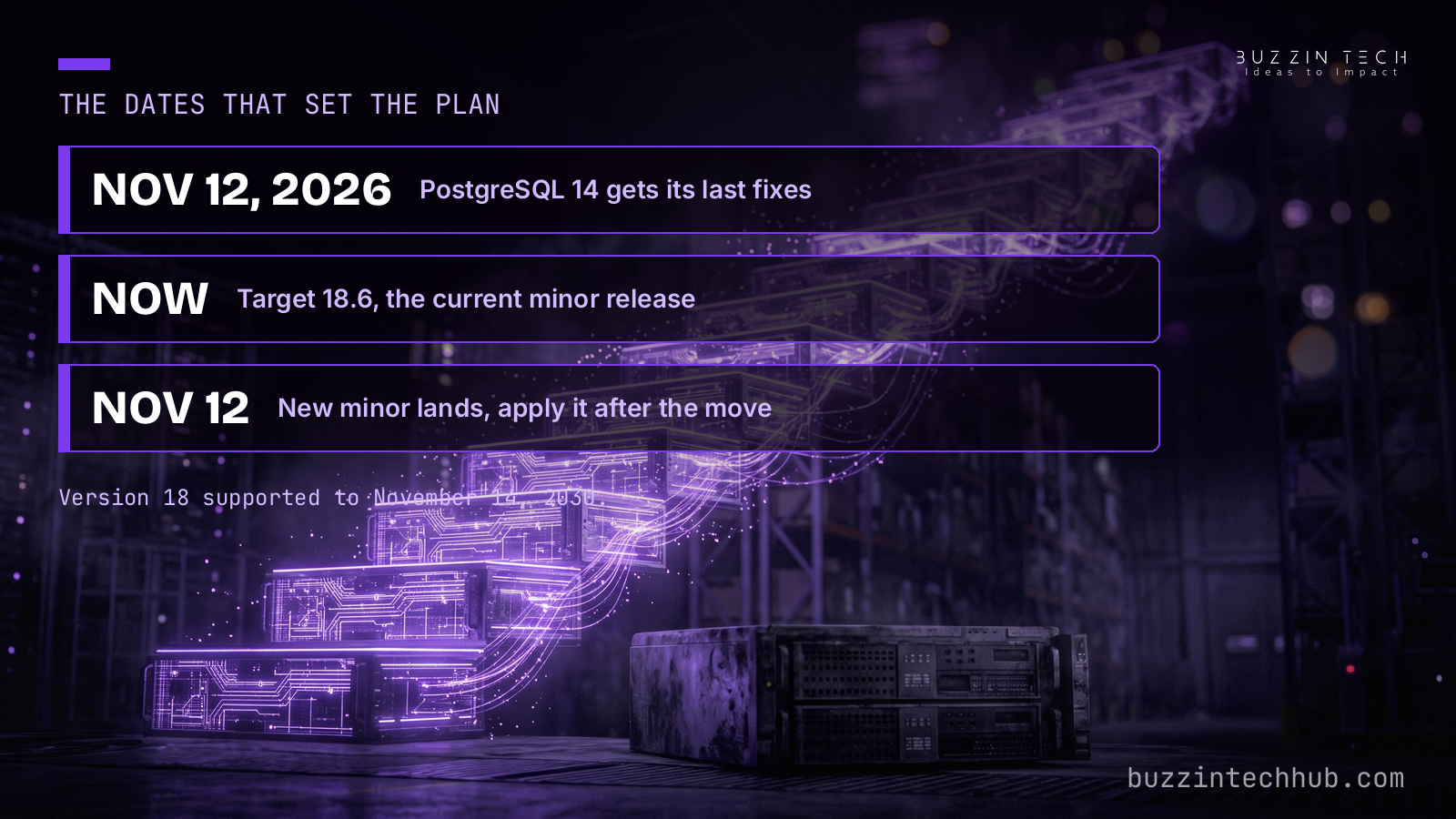
PostgreSQL 14 reaches end of life on November 12, 2026. That is three days after this post publishes. The final minor for the line is 14.24, and after November 12 no bug fixes and no security fixes ship for it. Our web development team treats a database on an unsupported line as a risk, not a preference, because a database behind a web app holds the data your customers trust you with.
The rest of the supported lines are in better shape. Version 15 runs to November 2027, version 16 to November 2028, and version 17 to November 2029. Version 18, released September 25, 2025, is supported to November 14, 2030. The current minor for it is 18.6, released August 13, 2026, with fixes for 28 security vulnerabilities and more than 110 bugs. The next minor release for all supported branches lands November 12, the same day 14 ends. That timing gives a simple order of work: move to 18.6 now, then apply the November 12 minor after it lands. Waiting for the minor before starting the major-version move wastes the week you have.
PostgreSQL 19 is still a release candidate, so it is not the target for a production move this week. Version 18 is the latest generally available major, and it has had a year of minor releases behind it. Teams that waited for 18 to settle have run out of reasons to wait. The risk now sits with the teams still on 14, and with the teams on 15, 16, and 17 who keep patching around features 18 ships natively. A database on 14 keeps running, but every vulnerability found after November 12 stays open. That is the line between supported software and a known risk.
The sections below follow the order we use on client systems: what changes, what to test, and how to move.
What version 18 changes in your schema
Four changes in version 18 touch application code directly. None of them forces a rewrite, but each of them rewards a look at your schema before upgrade day.
The first is uuidv7(). PostgreSQL 18 ships a built-in function that generates timestamp-ordered UUIDs, with no extension to install. A uuidv4 primary key scatters new rows across the B-tree at random, because the values have no order. A uuidv7 primary key clusters new rows together, because the leading bits carry a timestamp. For a table with heavy inserts, that difference shows up as less index churn and better cache use. The migration itself needs its own plan. Switching an existing uuidv4 primary key means rebuilding the index and checking for collisions, so treat it as a separate change from the version upgrade, with its own rollback.
The second change is virtual generated columns. Before 18, a generated column was always computed at write time and stored on disk. Version 18 makes virtual the default: the value is computed at read time and nothing is stored. Stored columns still work, and you can still ask for one explicitly when a value must be materialized. Two limits matter. A virtual column cannot be indexed, and it does not replicate: logical replication covers stored generated columns only. If your code assumes a generated column is indexed or replicated, check it before you move.
The third change is small and easy to miss. RETURNING now exposes old and new aliases, so one statement can return the row before and after a change. That removes the second SELECT or the trigger teams used to capture both states, and it removes the race window between the two reads. Audit trails and change logs get simpler.
The fourth change helps large tables. You can now add a NOT NULL constraint with NOT VALID, then validate it separately. The initial step skips the full table scan, so a multi-terabyte table no longer needs a long exclusive lock for the scan. EXPLAIN ANALYZE also reports buffer usage without the explicit BUFFERS option, which makes the plan output you already read more useful. The official release announcement lists all four, with the full detail in the release notes.
Async I/O: test the mode before you trust it
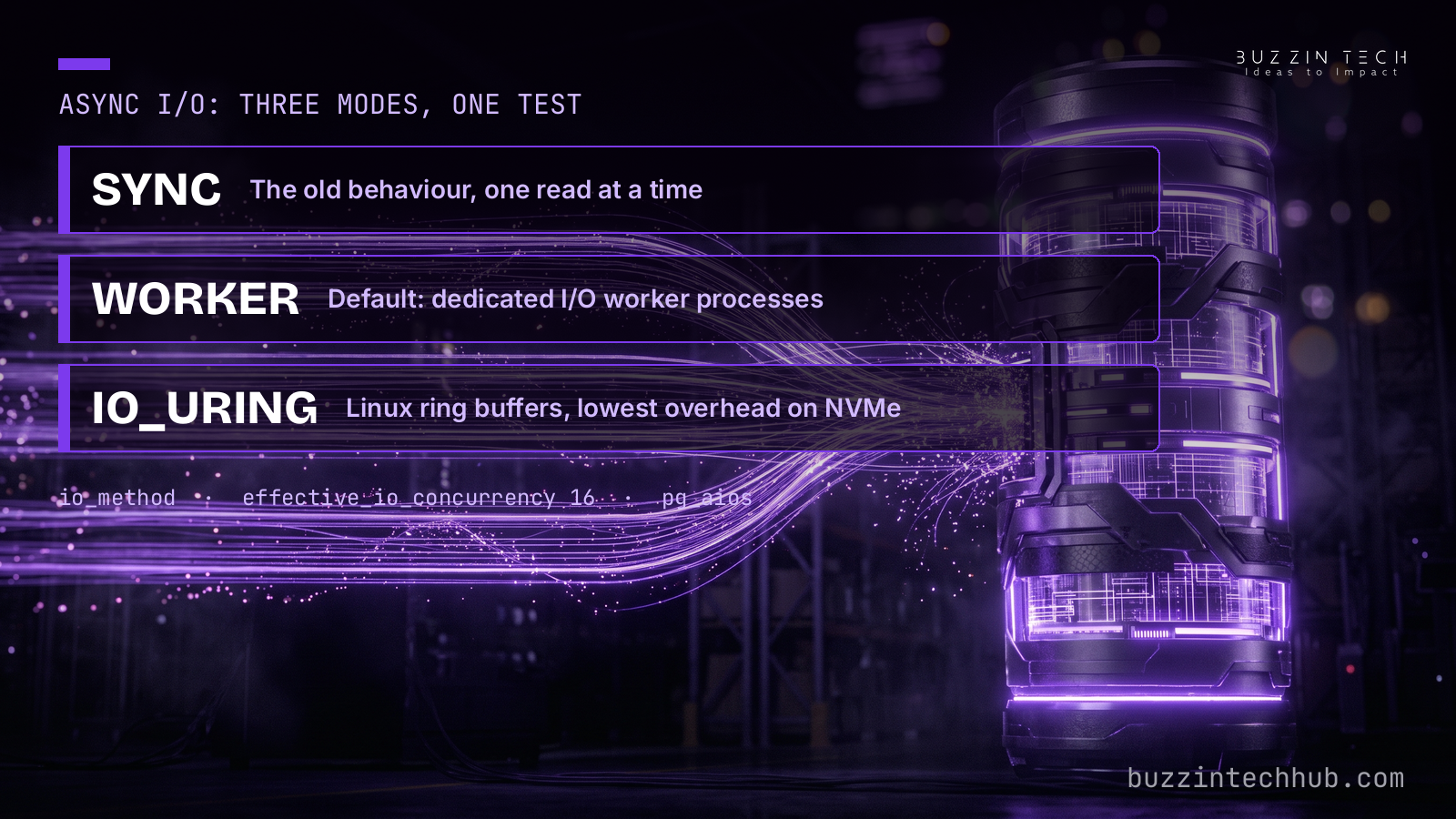
Async I/O is the largest change in version 18. PostgreSQL used to issue one disk read and wait for it before starting the next. The new subsystem queues several reads at once, and sequential scans, bitmap heap scans, and VACUUM all benefit. The setting that controls it is io_method, with three values. Sync is the old behaviour. Worker is the default, and it runs dedicated I/O worker processes. Io_uring is the Linux option, and it uses kernel ring buffers for the lowest overhead on local NVMe storage.
The default for effective_io_concurrency rises from 1 to 16 alongside the new subsystem, which is how much read parallelism the planner assumes. The official announcement reports up to 3x faster reads from storage on the right workload. PlanetScale published the concrete number behind that claim: on a 300 GB dataset with a cold cache, read time fell from about 15 seconds to about 5.7 seconds with io_uring. That is one benchmark on one storage-bound workload, not a promise for every database. Treat it as proof the subsystem works, not as a number to put in a plan.
The mode you pick depends on your storage. Local NVMe rewards io_uring. Cloud and network-attached storage often does better on worker, because the latency profile is different. Sync stays available for the workloads that need it. None of this is a setting to flip in production and hope for the best. Run your busiest queries against each mode in staging, on storage that matches production, and measure. If your bottleneck is CPU rather than disk, async I/O will not change much, and profiling your real queries with pg_stat_statements will tell you that before you spend a week tuning the wrong setting. The new pg_aios view shows the file handles in flight for async reads, which gives you something concrete to watch while you test.
Skip scan puts old indexes back to work
Skip scan fixes a quiet waste in many databases: a composite index that the planner ignored. Before 18, a multi-column B-tree index needed a restriction on its leading column before the planner would use it. A query that filtered on the second column only fell back to a sequential scan, even though the index held the data.
Version 18 lets the planner probe each distinct value of the leading column and use the index anyway. In one published test, a query that scanned 10,384 buffers in 94 ms answered in 0.2 ms with 12 buffer reads after the upgrade. Your numbers will differ, but the shape of the gain is the point: queries that never touched an index they already had start using it.
This is worth an audit of your own indexes before upgrade day. List the composite indexes on your busiest tables, then list the queries that filter on a later column without touching the first. EXPLAIN ANALYZE before the upgrade shows the scan. The same query after the upgrade should show the skip scan, and if it does not, you have found a query worth a closer look rather than a version worth blaming. The versioning page is the place to confirm support dates while you plan, and the 18.6 release notes carry the full fix list for the minor you will land on.
The upgrade itself: pg_upgrade keeps your statistics
The upgrade step used to carry a hidden cost. A freshly upgraded cluster started with empty planner statistics, so the optimizer guessed at plans until ANALYZE caught up. The first hours after a major-version move were the hours when slow queries appeared, and teams blamed the new version for what was really missing data.
Version 18 changes that. Pg_upgrade now preserves planner statistics by default, so the optimizer starts with the same knowledge it had before the move. The behaviour works when upgrading from 14, 15, 16, or 17. Extended statistics built with CREATE STATISTICS are the one exception: they are not carried over, and you still need to rebuild those by hand. Regular column and table statistics survive, which is what most plans depend on.
Two more pg_upgrade flags help on large databases. The --jobs flag runs pre-upgrade checks in parallel, and --swap exchanges the old and new directories instead of copying, cloning, or linking files. On a database with many objects, that is the difference between minutes and hours. One hard rule stays: the source and target clusters must have matching checksum settings, so check that before upgrade day rather than during it.
The sequence we use is short. Pin the current version everywhere and record it, so you have a known-good state to return to. Run the full test suite on 18 in staging with the same data shapes and the same traffic paths production sees. Compare the plans of your busiest queries before and after, and read the warnings instead of clearing them. Deploy to a canary or a single instance and watch it under real traffic. Then update every pin to 18 once the canary holds. If a step fails, stop at that step. A failed native check or a regressed plan is a decision point, not a reason to push harder. The same annual-upgrade habit applies to the runtime underneath the database, and our Node.js 26 upgrade guide walks the same sequence for the other half of the stack.
The pre-flight checklist
A database upgrade fails on the things nobody listed, not on the upgrade itself. Run this checklist in the week before the move.
First, find every Postgres you run. Production is the obvious one. Then check staging, the analytics replica, the self-hosted tools that bundle their own database, and any vendor app that runs one more. An unlisted database is the one that breaks after the deploy.
Second, check extensions and drivers. Every extension on the old cluster needs a build for 18, and every driver in your app needs a version that speaks to it. If an extension has no 18 build, that extension sets your timeline, not the release calendar.
Third, check your managed service. Major-version availability lands on different dates per provider, so confirm that your provider offers 18.6 before promising a date to anyone. RDS, Cloud SQL, and Neon each publish their own calendar.
Fourth, plan the uuidv7 migration as a separate change. Same release window, different change, different rollback. Do not fold it into the version upgrade and lose the ability to tell which change caused a problem.
Fifth, audit generated columns for the two limits in version 18: code that assumes a generated column is indexed, and code that assumes it replicates. Both are easy to miss and both fail quietly.
Sixth, confirm the backup and the rollback. A minor-version update is a stop, install, and restart, with no dump and restore. A major-version move needs a tested restore path and a written decision on when you would use it. Our case study list shows the range of production systems we maintain this way, from payment gateways to custom CRMs.
Is your database still on version 14?
Version 14 stops receiving fixes on November 12. We run the audit, the staging tests, and the upgrade for teams that would rather not find out what an unsupported database costs.
See how we run database upgrades
Frequently asked questions
Which PostgreSQL version should I upgrade to?
Target 18.6, the current minor release of the latest major version. It is supported to November 14, 2030, and it carries the fixes from the August 2026 minor release. A new minor lands November 12, so apply it after the move rather than waiting for it before you start.
Is PostgreSQL 18.6 safe for production?
Yes, for teams whose compatibility testing is complete. Version 18 has had a year of minor releases since its September 2025 launch, and 18.6 is the sixth of them. Test your extensions, drivers, and busiest queries in staging first. If a dependency has no 18 build, hold that service on a supported line until it does.
What happens if I stay on PostgreSQL 14 after November 12?
The database keeps running, but no bug fixes and no security fixes ship for it after that date. Any vulnerability found after November 12 stays open on your cluster. Managed providers may also drop 14 from their supported versions, which can block restores and scaling on the old line.
Does async I/O speed up every query?
No. Async I/O helps workloads that wait on disk: sequential scans, bitmap heap scans, and VACUUM. CPU-bound queries will not change much. Test the io_method setting on your real storage in staging, and check pg_stat_statements to confirm your slow queries are actually waiting on reads before you expect a gain.
Can I switch my primary keys to uuidv7() during the upgrade?
You can, but do it as a separate change. Switching a uuidv4 primary key means rebuilding the index and checking for collisions, and folding that into the version upgrade makes it hard to tell which change caused a problem. Upgrade first, verify plan stability, then migrate the keys with their own rollback.
How long does a pg_upgrade take?
It depends on the size of the database and the number of objects, not on the version gap. The --jobs flag parallelizes pre-upgrade checks, and --swap exchanges directories instead of copying files, which keeps large upgrades in minutes rather than hours. The staging run gives you the real number for your database before upgrade day.